How Attackers Use Unmanaged Switches with Default Passwords
A small switch tucked under a desk can look harmless. It may connect a printer, a few workstations and an access point; it may have been added years ago to solve a temporary problem. But when nobody knows who installed it, what it connects to or whether it can be managed, that switch can become part of an attacker’s path through the network.
There is an important distinction in the title of this post. A truly unmanaged switch has no configuration interface and therefore no password to change. The risk arises when an unmanaged switch is confused with a “smart”, web-managed or otherwise configurable model that still has default credentials; or when an unmanaged switch is used to extend a network in a way that defeats the intended design. Both situations are common enough to deserve attention. Attackers look for the gap between what an organisation believes is deployed and what is actually connected.
Physical infrastructure is part of cybersecurity, not a separate facilities concern. Switching, cabling, labelling and port configuration determine which devices can communicate. When these foundations are weak, firewalls and endpoint detection platforms have a harder job containing an incident. The practical question is not only “Can someone log in to this switch?” It is also “What can an attacker reach if they gain access to this port or device—and what happens at 2am when the link fails?”
First, what is an unmanaged switch?
An unmanaged switch is generally a plug-and-play device with no administrative controls for setting VLANs, access policies or management credentials. It forwards Ethernet traffic according to its built-in behaviour. That simplicity can be useful for a tightly controlled, low-risk purpose, but it offers little visibility or ability to enforce segmentation.
Managed switches, by contrast, expose configuration and monitoring functions. Some smaller products are described as smart or web-managed. They may offer only a subset of enterprise features, but they can still have an administration interface and credentials. If those credentials remain at their factory defaults, the device is an exposed management target.
So “unmanaged switch with a default password” is often shorthand for one of two problems: a configurable switch whose default credentials were never replaced, or an unmanaged device that has been installed where a controllable, policy-capable switch was required. Both indicate an inventory and design issue. Do not assume a switch is safe simply because someone calls it unmanaged; check the the actual model, capabilities and connections.
How the opportunity appears to an attacker
Attackers rarely need a dramatic exploit to benefit from poor switching. They can take advantage of ordinary access: a compromised laptop, a malicious insider, a visitor on an inadequately controlled port, or a device connected in an office or operational area. Once on the network, they assess what is reachable and look for ways to extend access.
A switch with a reachable management interface and default credentials gives an attacker a chance to change the network rather than merely use it. Depending on the model and configuration, they may be able to create or alter VLANs, redirect traffic, disable ports, change management settings or disrupt connectivity. The precise capabilities vary: a small smart switch is not necessarily equivalent to an enterprise switch, and access to its interface does not automatically mean full network control. Exactly.. But even limited control can be valuable.
Default credentials turn a device into an easy target
Default credentials are widely documented, reused and easy to guess. If the switch’s management interface can be reached from a user network, an attacker may try the manufacturer’s default login or a password reused elsewhere. They may also find credentials written on a label, in an old installation note or in a shared spreadsheet.
Successful access can let an attacker alter settings, create an interruption or make their presence harder to spot. It can also provide useful information: device names, port status, connected equipment, VLAN configuration and other details that help map the environment. Even when the switch cannot support sophisticated changes, the information it exposes can guide further lateral movement.
Unmanaged switching can undo segmentation
Segmentation is not achieved just by drawing VLANs on a design diagram. It depends on capable switching, correct configuration and physical connections that match the design. Connecting an unmanaged switch to a port identity access management basics configured for one network may simply extend that network to every device plugged into it. If the upstream port is misconfigured or permits more traffic than intended, the consequences can be broader.
That does not mean every unmanaged switch automatically defeats VLANs. The outcome depends on the upstream port configuration and the capabilities of the switch. The concern is that the unmanaged device cannot enforce the controls or provide the visibility that a proper access switch would. It can turn one authorised network port into several connections, complicating device control and accountability.
From foothold to lateral movement
Lateral movement is the process of moving from an initial foothold to other systems, accounts or network areas. A poorly controlled switch can help by exposing additional devices, weakening the boundary between network segments or giving an attacker a place to observe and manipulate connectivity. For example, a workstation that should only reach corporate services may end up sharing a network with printers, building systems or operational technology because a switch was added without review.
Attackers may also use network changes to support persistence, disrupt response or make traffic harder to interpret. A change that causes intermittent connectivity can be mistaken for a cabling fault. A new connection hidden behind an unlabelled patch panel may be overlooked during an investigation. The attacker’s actions do not need to be highly sophisticated if the environment is already difficult to understand.
Firewalls remain important, but they cannot compensate for every weakness inside a network. A firewall can control traffic between zones when traffic is routed through it. It cannot reliably enforce a boundary that has been bypassed by a local connection, an incorrectly configured switch port or an unmanaged device extending a network. Similarly, endpoint detection platforms can identify suspicious activity on protected endpoints, but they do not make an unknown switch visible or prevent every unauthorised device from joining a segment.
Physical faults create security blind spots
Physical-layer problems are often treated as separate from cyber risk. In practice, a bad cable, a failing power supply, a loop or an undocumented switch can create both an outage and a security blind spot. A link that flaps repeatedly can obscure the timeline of an incident. A switch installed to restore service quickly may leave a temporary connection in place long after the emergency. If ports and patch panels are not labelled, responders may struggle to determine which device is connected where.
Unmanaged switching also limits troubleshooting information. There may be no port-level event history, configuration backup or central monitoring to show when a device appeared. During incident response, that makes it harder to distinguish normal changes from suspicious ones. When teams cannot trust the network map, containment decisions become slower and riskier.
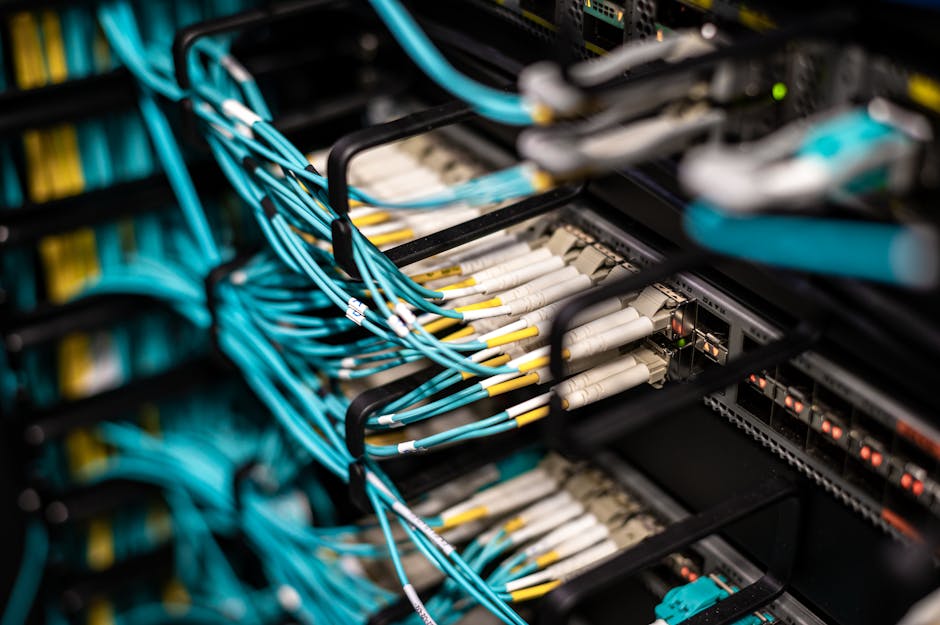
Good physical practice is therefore a security control. Keep Essential Eight vs zero trust a current switch inventory, label both ends of cables and document patch-panel mappings. Remove unauthorised equipment rather than leaving it in place because “it still works”. If a temporary switch is necessary, record its owner, purpose, upstream port and removal date. The label maker in the laptop bag is not a substitute for an asset process, but it is a useful sign that someone is taking the physical network seriously.
Why segmentation needs the right switching design
Effective segmentation starts with knowing which systems need to communicate and which do not. The design then has to be implemented consistently across routers, firewalls, switches, wireless infrastructure and endpoint controls. Access switches need features appropriate to the environment, such as VLAN support, port controls, monitoring and a secure management plane. Requirements differ between a small office, a warehouse and an industrial site; choose equipment to match the risk and operational needs.
Vendors such as Cisco and MOXA offer switching products for different enterprise and industrial use cases. Garland is another name organisations may encounter in network infrastructure and visibility discussions. Mentioning a vendor is not an endorsement of a particular model: product capabilities, lifecycle status, security updates and configuration options vary. Procurement should begin with the requirements, not a familiar badge on the front panel.
In operational technology environments, availability and safe operation matter as much as confidentiality. Do not replace equipment or alter a live switch configuration without understanding the process impact and following change controls. A technically sound security change that stops a production line is not a successful outcome. Plan maintenance, validate the design and make sure there is a tested recovery path.
What organisations should do
- Find the devices. Inventory switches across offices, comms rooms, plant areas and temporary workspaces. Record make, model, location, owner, management capability and upstream connection. Compare the inventory with procurement records and physical inspection.
- Check what “unmanaged” means. Verify whether each device has an administration interface. Identify smart or managed models that are being treated as unmanaged, and confirm whether default credentials remain in use.
- Remove default credentials. For configurable switches, set unique, strong administrative credentials and store them in an approved password manager. Disable unused management services and restrict management access to a dedicated, controlled network.
- Review the ports and topology. Confirm that access ports serve the intended devices and that uplinks are configured deliberately. Remove unauthorised switches and investigate unexplained links, loops or connections between security zones.
- Use fit-for-purpose equipment. Where segmentation, monitoring or access control is required, replace unmanaged devices with supported switches that can enforce the design. Confirm feature requirements before purchase and keep firmware within the vendor’s supported lifecycle.
- Monitor and test. Use network monitoring and endpoint detection platforms together. Review alerts for new devices, unusual management access and unexpected traffic between segments. Test that firewalls and access controls enforce the intended boundaries.
- Prepare for failure. Keep diagrams and configuration backups current, document recovery procedures and make sure on-call staff know who owns the equipment. Ask the practical question: what happens at 2am when this fails?
How ACSC guidance fits in
Australian Cyber Security Centre (ACSC) guidance is built around reducing exposure, controlling access, monitoring systems and maintaining resilience. Those outcomes assume that an organisation understands its network and has foundations capable of supporting the controls it intends to use. A policy requiring segmentation cannot deliver much if unmanaged equipment quietly extends a network, and a credential standard is ineffective if nobody knows which devices have an administration interface.

Use current ACSC publications and your organisation’s risk assessment to determine the controls that apply. Treat guidance as a reason to verify the whole system—not as a box-ticking exercise focused only on servers and laptops. Physical access, switch configuration, asset management and network diagrams all contribute to whether security controls work in practice.
A practical way to think about the risk
Condition Why it matters Useful response Managed switch retaining default credentials An attacker who can reach the management interface may gain control or useful network information. Change credentials, restrict management access and review the configuration. Unmanaged switch on a sensitive or segmented network It may extend connectivity without the visibility and policy controls the design requires. Assess the connection and replace it with suitable, supported equipment where needed. Unknown device or unlabelled cabling Responders may not know what is connected or how to contain a problem safely. Trace, label, document and remove unauthorised connections.Conclusion
The security issue is not that every unmanaged switch is malicious or that every small switch creates an incident. The risk is that unreviewed hardware can undermine the network design, hide assets and make lateral movement easier. Default credentials add a separate, avoidable route to control where a device is configurable and its management interface is exposed.
Make the physical network part of your security programme. Know what is installed, use equipment that can enforce the required segmentation, protect management access and keep cabling and diagrams in order. Firewalls and endpoint detection platforms are valuable layers, but they work best when the switching underneath them is understood, supported and correctly configured. A mystery cable is not just untidy; it is an unanswered security question.